Comparing OCuLink and Thunderbolt for External GPU Performance
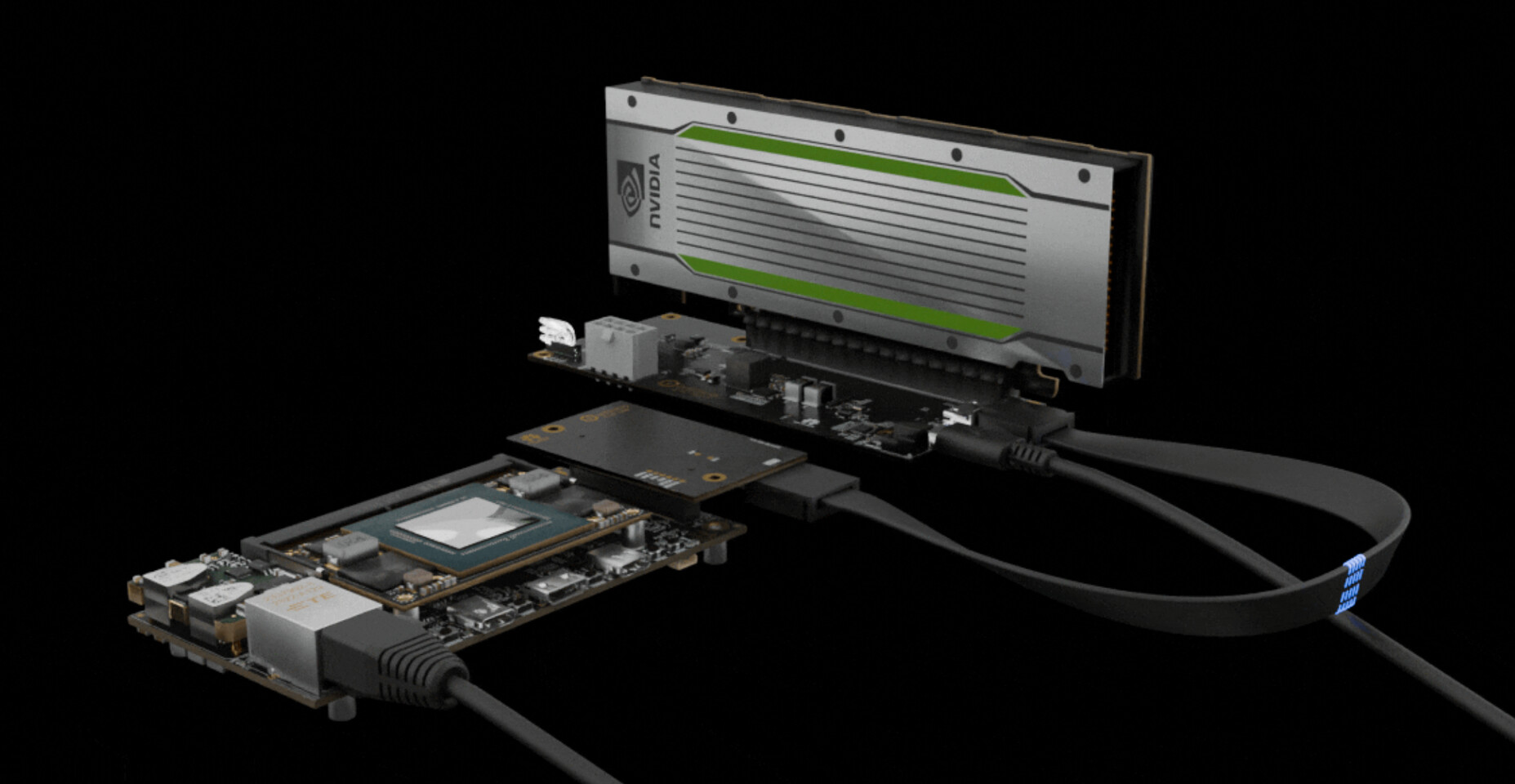
External graphics enclosures have become a popular solution for laptop users seeking desktop-level GPU performance. These enclosures rely on high-speed external PCIe connections, most commonly delivered via OCuLink or Thunderbolt 4/5 interfaces. Understanding the differences between these connection standards is essential for users aiming to maximize their system’s graphics and storage capabilities.
OCuLink vs. Thunderbolt: Bandwidth and Real-World Performance
Independent testing by Try Some Tech highlights the performance distinctions between OCuLink and Thunderbolt connections. OCuLink, which provides a direct PCIe link, achieved sustained throughput rates of approximately 6.6 GB/s from host to device and 6.7 GB/s in the reverse direction. In comparison, Thunderbolt 5 delivered around 5.6 GB/s host to device and 5.8 GB/s device to host. These bandwidth differences have a tangible impact on real-world applications, particularly in storage-intensive workloads and scenarios where sustained data transfer rates are critical.
Gaming Benchmarks: OCuLink Leads in Performance
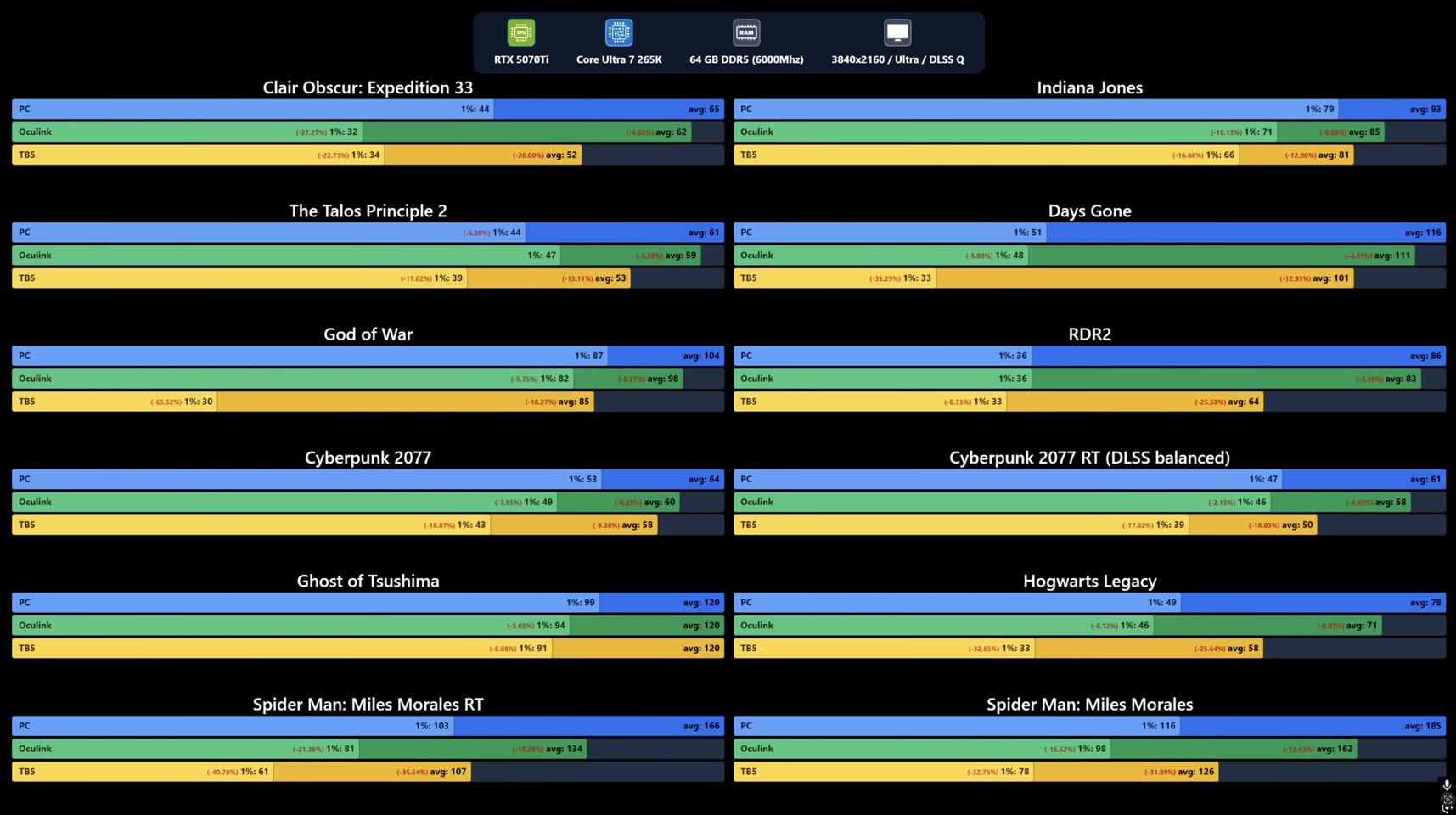
To evaluate gaming performance, Try Some Tech installed an NVIDIA GeForce RTX 5070 Ti in an external enclosure and tested three configurations: native PCIe, external OCuLink, and external Thunderbolt 5. The test system featured an Intel Core Ultra 7 265K processor and included a range of demanding titles such as Clair Obscur: Expedition 33, Indiana Jones, The Talos Principle 2, Days Gone, God of War, Red Dead Redemption 2, Cyberpunk 2077, Ghost of Tsushima, Hogwarts Legacy, and Spider-Man: Miles Morales (with and without ray tracing).
Results showed that OCuLink outperformed Thunderbolt 5, delivering up to 16.28% higher average gaming performance. However, OCuLink was still about 7-8% slower than a direct PCIe connection to the motherboard. When comparing direct PCIe to Thunderbolt 5, the Thunderbolt connection trailed by roughly 19-25% on average, with the largest performance drops reaching up to 36% in certain scenarios.
Choosing the Right Connection: OCuLink or Thunderbolt?
OCuLink’s advantage comes from its lower protocol overhead and reduced latency, making it ideal for users who prioritize maximum sustained throughput. However, OCuLink remains a niche solution due to its limited laptop compatibility, lack of hot swap support, and absence of integrated power delivery or display passthrough features.
Thunderbolt, on the other hand, offers broader compatibility, plug-and-play convenience, charging capabilities, and support for external displays. While it trades some raw performance for these features, Thunderbolt remains the more practical choice for most users seeking a balance between performance and everyday usability.